-3.png)
Support
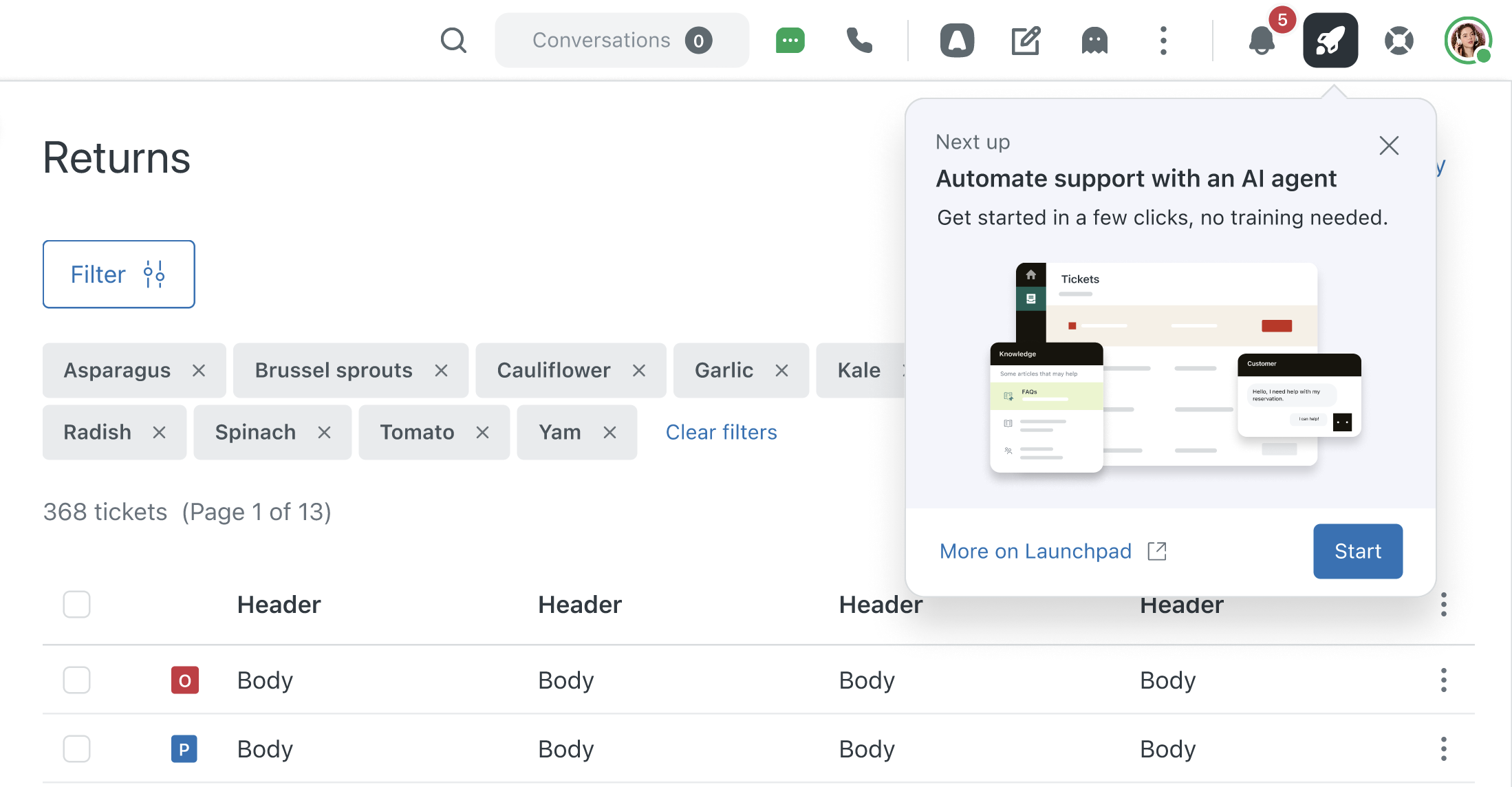
- Launchpad in Support provides a lightweight way for customers to engage with setup experiences. Key feature setup journeys are broken down into quickly accessible setup tasks, improving discoverability and keeping setup momentum going. See Using Launchpad in Support.
-
- Views conditions now support filtering by custom ticket text fields with new text-based operators and expanded ticket sharing conditions, enabling more precise and flexible ticket filtering within views. See Using custom ticket fields in business rules and views.
- Customizable filters for advanced search allow you to add and manage filters in a side panel to better refine Support search results. Customizations persist until sign-out or browser reset. See Searching Zendesk Support data.
- Customers can now delete system support email addresses such as support@company.zendesk.com. This enhances control over email domains and improves security by reducing spam risks. See Managing your support addresses.
AI agents
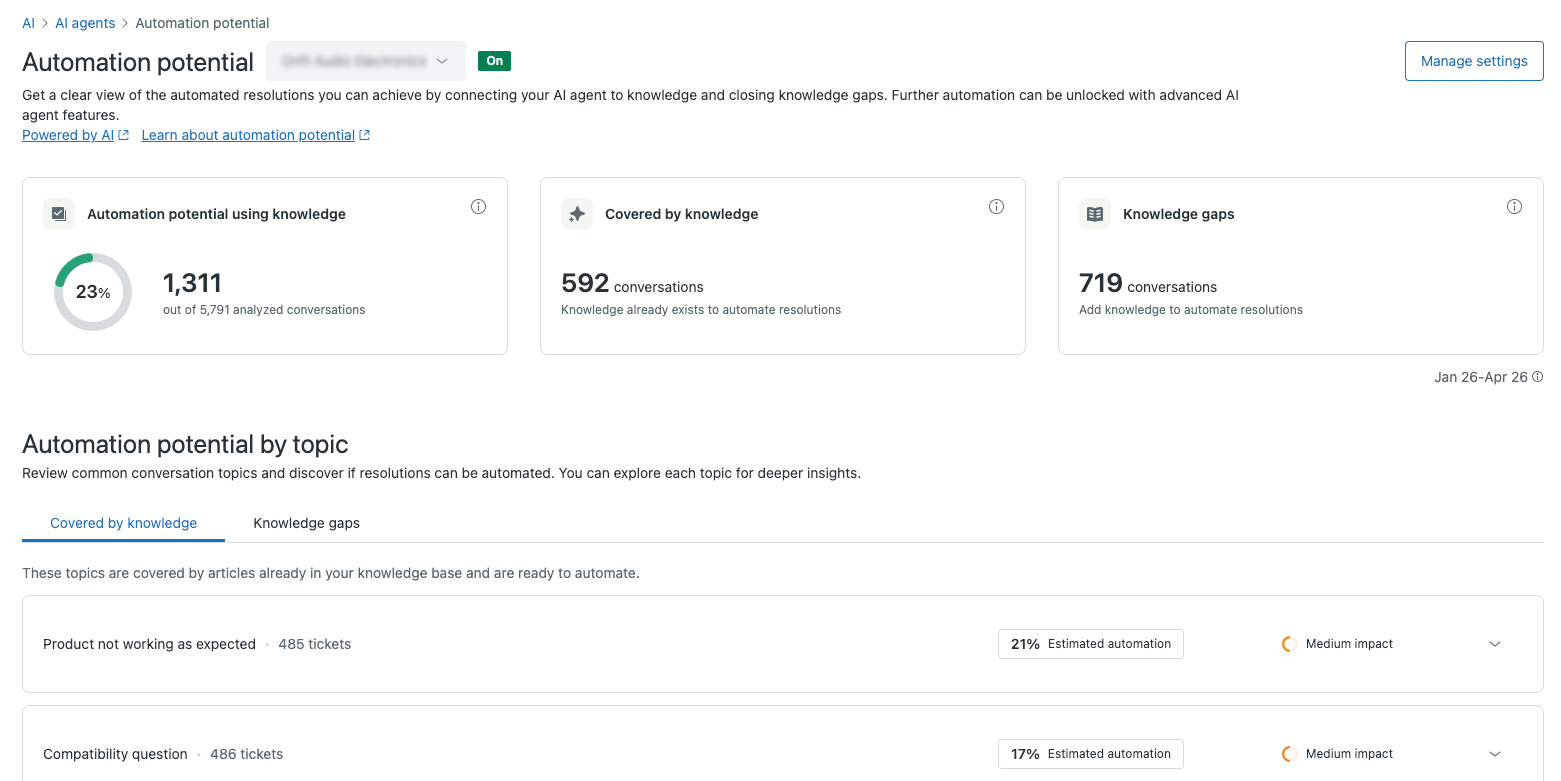
- A new automation potential report analyzes your customer conversations and identifies requests that can be automated with AI agents. This report provides brand-specific insights and sample ticket data, showing you exactly how an AI agent would respond to customer inquiries. See Viewing and using the automation potential report to create or enhance AI agents.
- Views conditions now support filtering by custom ticket text fields with new text-based operators and expanded ticket sharing conditions, enabling more precise and flexible ticket filtering within views. See Using custom ticket fields in business rules and views.
- (Advanced) Agentic AI for advanced email AI agents is now generally available. This enables AI agents to understand emails, answer questions, automate procedures, and escalate when needed, reducing back-and-forth with customers. See About AI agents with agentic AI.
- (Advanced) You can no longer change the subdomain in advanced messaging AI agents. The integration with messaging is now automatic based on the Zendesk account ID. To connect to a different subdomain, clone the AI agent and select the desired organization. See Cloning an advanced AI agent.
Copilote
- Copilot now includes macro content suggestions and trust and safety recommendations. These new recommendation types help you improve agent productivity and account security without spending time going through complex settings. See Understanding Copilot recommendations .
Accounts and billing
-
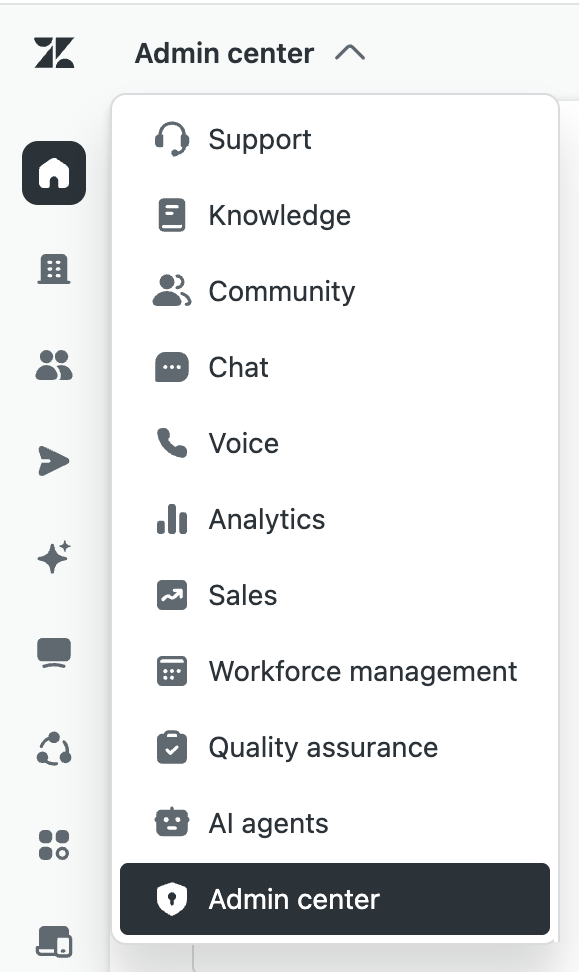
Unified navigation provides a consistent, unified interface for navigating across Zendesk products and features. This interface significantly reduces the learning curve required for admins and agents to use Zendesk products. It also helps agents and admins with their day-to-day work by providing a consistent, simplified approach to navigation. See About unified navigation across Zendesk products.
- Zendesk Advanced Compliance includes Health Data Hosting (HDS) certification in France. This certification is designed to strengthen the protection of PHI and build a trusted environment around eHealth and patient monitoring. See French Health Data Hosting (HDS).
Agent Workspace
-
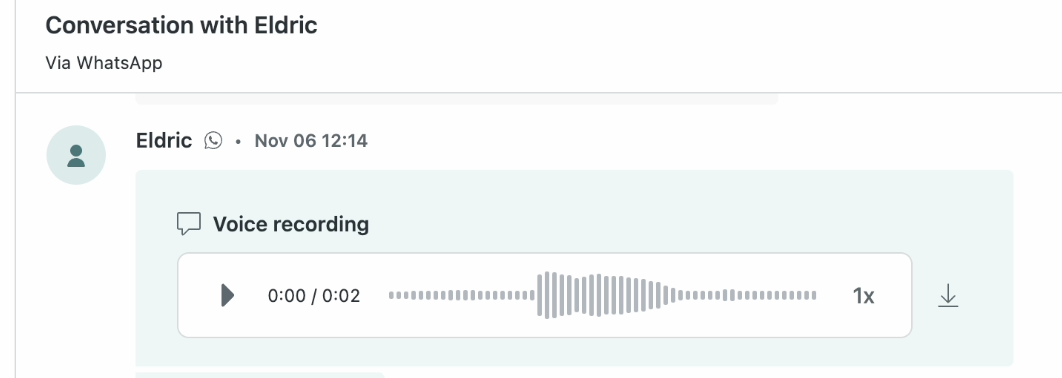
Audio playback for agents in messaging conversations introduces an embedded audio player in Agent Workspace, allowing agents to play audio messages directly without downloading files, enhancing support efficiency and accessibility. See Playing back audio comments in messaging conversations).
Objects and business rules
- Admins can now configure action flows to automatically create approval requests using the new Send approval request action. Automating the creation of approval requests ensures consistent, efficient approvals, reduces manual effort, and speeds up request handling. See Creating action flows to automate processes across Zendesk and external systems and Understanding approvals and how they work.
- Deleting custom object records in bulk allows team members in the Agent Workspace to select and delete multiple custom object records at once, improving efficiency and ease of managing storage consumption. See Deleting custom object records.
- Google Calendar and Google Forms external actions have been added to Zendesk action flows, enabling teams to automate scheduling and form processes within Zendesk. This reduces manual work and improves workflow efficiency. See Using Google Calendar actions in action flows and Using Google Forms actions in action flows.
Security
-
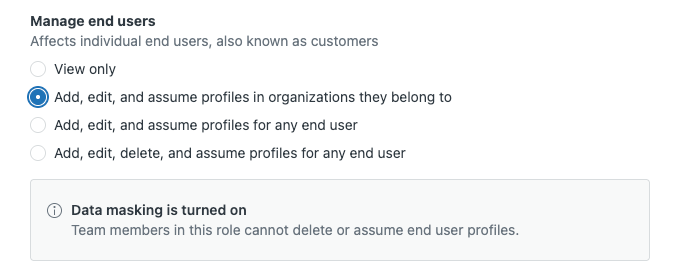
Agents in roles with data masking enabled can manage end users and merge tickets if their role includes these permissions. This update improves operational flexibility while maintaining privacy controls. See Turning on and configuring data masking.
- The access log has been enhanced with detailed event information, including Access Log Event ID, Browser URL, and a new optional GraphQL log filter to reduce noise. These updates improve investigation speed, compliance, and usability for admins with the Advanced Data Privacy and Protection add-on. See Using the access log to monitor agent activity.
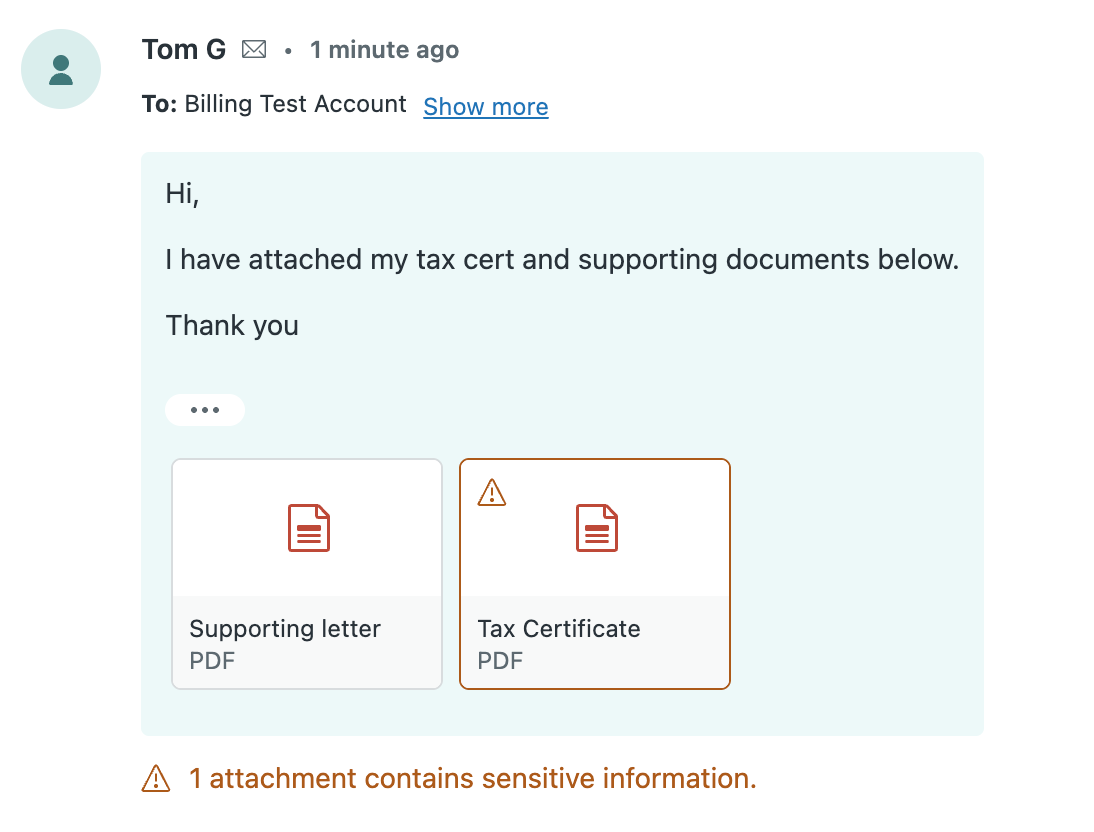
- PII detection in attachments has been expanded to include detection of personally identifiable information in PDF attachments for customers with the Advanced Data Privacy and Protection (ADPP) add-on. PDFs containing detected PII will be highlighted and suggested for redaction to help reduce the risk of sensitive data exposure. See Turning on and configuring redaction suggestions.
People
- Agents in custom roles can now be granted permission to manage capacity rules. Agents can be given varying levels of access to manage omnichannel routing capacity rules, including view, assign, or full admin-level control. This change also relocates related permissions into a new Omnichannel routing section for better organization. See Creating custom roles and assigning agents.
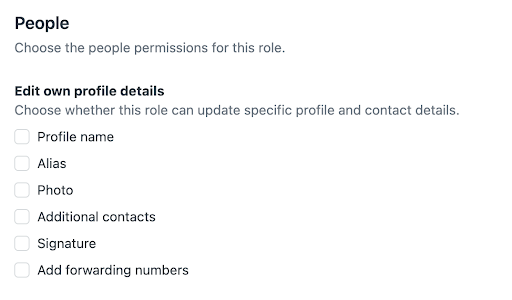
- A new permission to restrict agents from editing their own profile allows admins on Enterprise plans to control which profile and contact fields agents can edit for themselves. Admins can manage these settings when adding or editing custom roles. See Permissions that agents with custom roles can have.
Knowledge
-
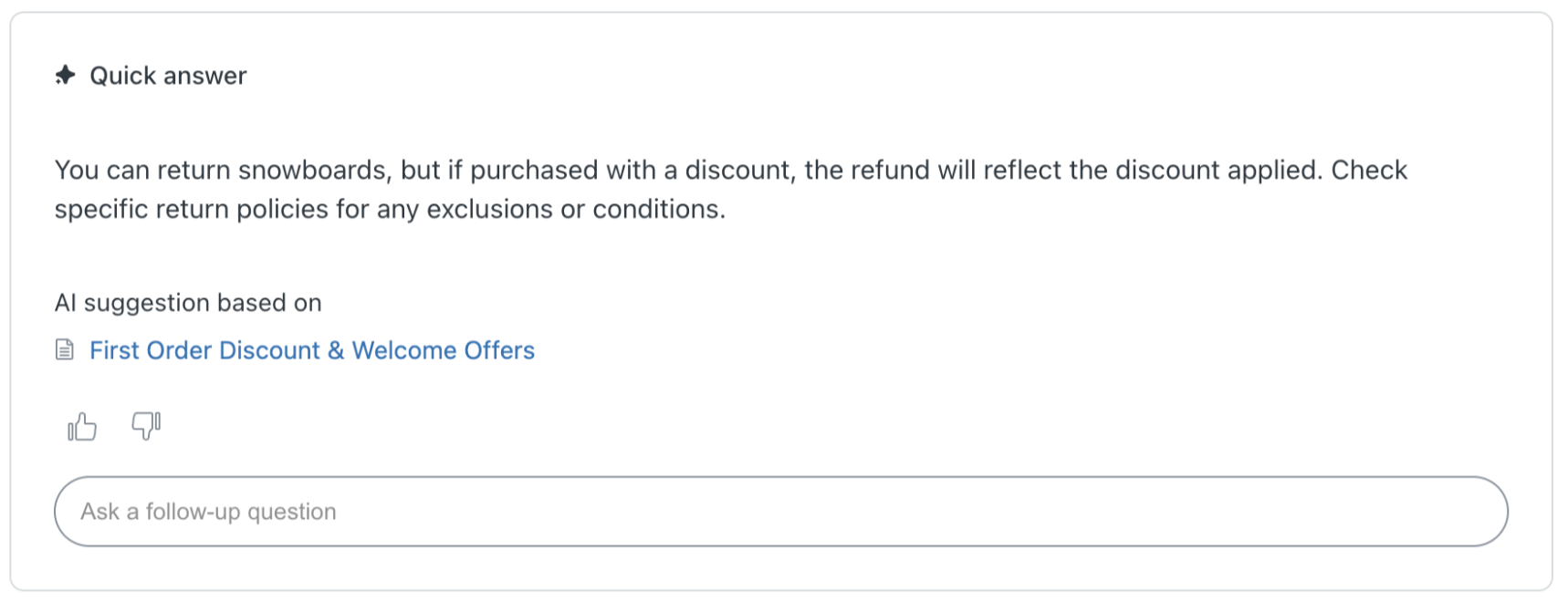
Generative search in help center now supports a follow-up question for customers using the Web Widget. This enhancement creates a smoother path from self-service search to a conversational experience with an AI agent, reducing repetition and keeping context from the original search. See Using generative search to provide AI-powered answers to search queries.
- Knowledge connectors are now available for SharePoint, Notion, and Document360. You can connect SharePoint, Notion, or Document360 to your Zendesk account to make that content discoverable wherever external content is used. See Connecting SharePoint as an external knowledge source, Connecting Notion as an external knowledge source, and Connecting Document360 as an external knowledge source.
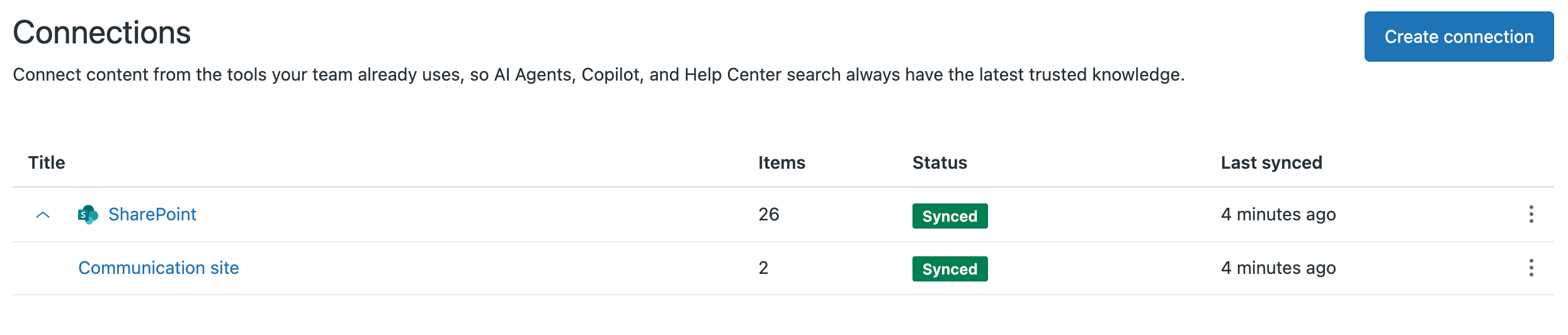
- The new article editor is now the default and only editor for all Knowledge articles. New read-only modes protect legacy and API-managed articles during the transition. See Editing articles in the knowledge base.
- The Bangla language support feature is now officially available for the help center end-user experience, enhancing accessibility and usability for Bangla-speaking users. See Zendesk language support by product.
Messaging
- A voluntary chat-to-messaging migration wizard streamlines the transition from live chat to messaging by automating feature configuration mapping and providing a clear checklist. It adapts to different migration histories, reducing manual effort and ensuring data integrity. See Migrating your live chat widget to the messaging Web Widget.
- The article viewer for Web Widget opens help center articles inside the widget instead of a new browser tab, improving user experience by maintaining conversation context and session tracking. External and restricted articles still open in new tabs. This change is not yet available in Web Widget embedded mode.
- Zendesk now supports encrypted direct messages for customers using the X channel for direct messages. Admins must turn on XChat in Zendesk to continue receiving DMs from users who have migrated to encrypted chat. See Supporting XChat (encrypted direct messages).
- Automatic malware detection for messaging channels scans all attachments shared by end users and agents through messaging Web Widget and social messaging channels for malware, blocking suspicious files until reviewed. This enhances security and protects users from malicious content. See Managing malicious attachments.
- You can now suspend users from messaging channels only, while keeping other support channels open. This provides flexibility to manage disruptive users without blocking all communication channels. See Suspending and unsuspending end users and Understanding and allowing user suspension.
Contact Center
- The Zendesk Identity Provider (IdP) for Contact Center is now generally available, enabling a Zendesk-managed federation flow for AWS services such as Amazon Connect and Cognito. After users authenticate with their corporate IdP, Zendesk helps broker access into the Contact Center environment, reducing login friction and simplifying access across tools. Configuration is available upon request through Zendesk Customer Support. See AnnouncingAnnouncing Zendesk Identity Provider (IdP) for Contact Center.
Analytics
- The real-time monitoring dashboards have new features, including a "Show empty rows" toggle to display inactive brands, groups, and queues, a 30-day data extension for recent-history metrics, and brand-level permissions for restricted data access. See About real-time monitoring dashboards.
Quality assurance
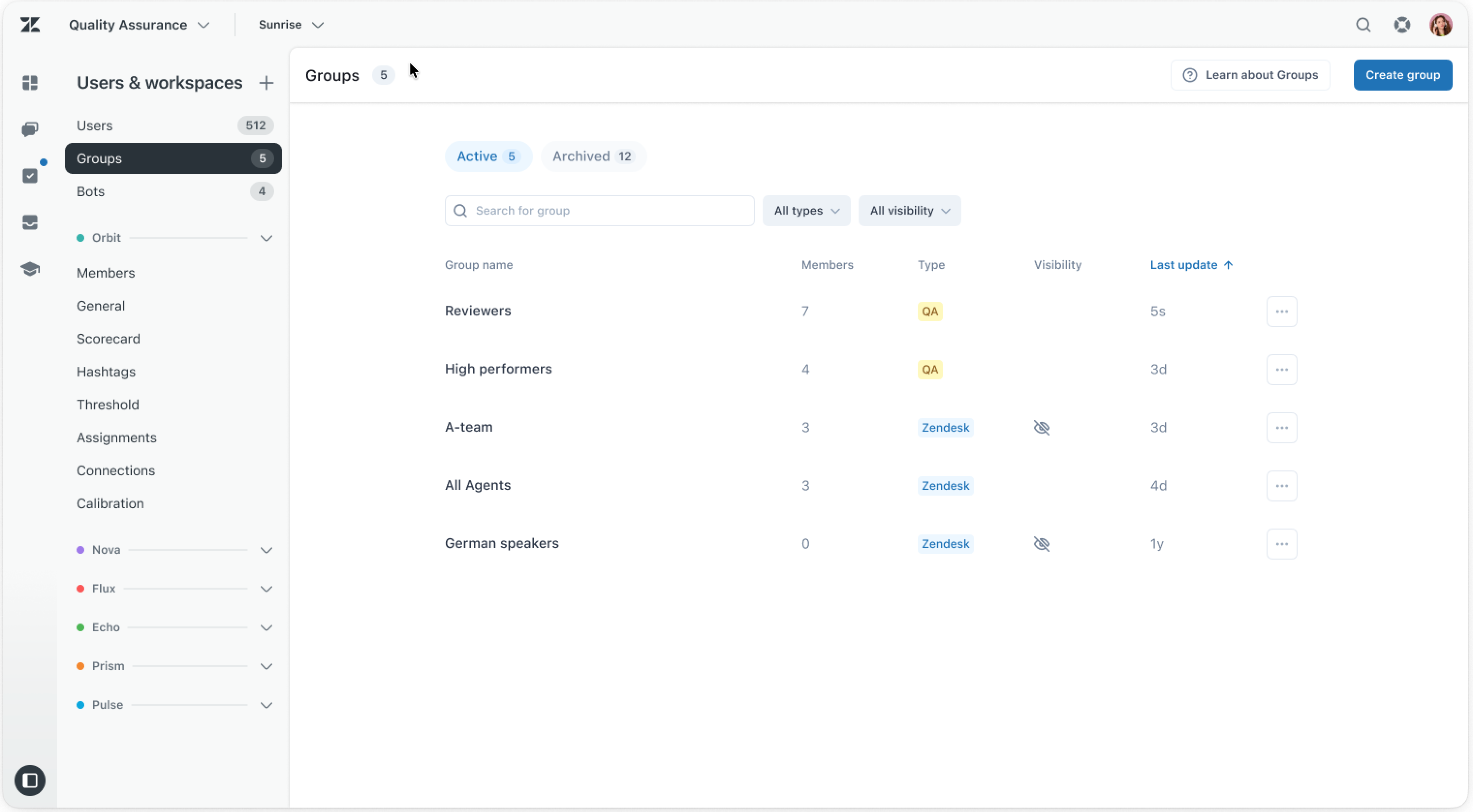
- Group sync between Zendesk and Zendesk QA. Until now, groups in Zendesk and Zendesk QA have existed independently, which required manual updates in both places. With this update, groups in Zendesk automatically sync to Zendesk QA and are available there. See Managing groups in Zendesk QA.
New and noteworthy
- A new Employee Services deployment guide is available to make it easy to get started with the Employee Services suite and configure Zendesk accounts for employee service use cases. See Deploying Zendesk for employee services.
- Learn how to create a service catalog that lets employees submit service requests to internal teams like HR and IT with a new workflow recipe called Building an employee service catalog with Zendesk. In addition, a separate three-part tutorial called Building a custom employee service catalog with Zendesk in the developer docs builds on and extends what you learn.
Traduction - exonération : cet article a été traduit par un logiciel de traduction automatisée pour permettre une compréhension élémentaire de son contenu. Des efforts raisonnables ont été faits pour fournir une traduction correcte, mais Zendesk ne garantit pas l’exactitude de la traduction.
We hope this article has helped you learn more about what's new at Zendesk in May 2026. If you have any questions or comments, please feel free to share them with us.
Don't forget to find out more about our expertise in Zendesk by browsing our available support services for auditing, customization on the Zendesk tool.




.svg)